
Second Shift

Think in Formulas

Excel skills for
real careers.

Most people learn Excel by Googling the same formula every few months. This book teaches you to think in formulas instead — so the next messy export is a ten-second job, not an afternoon.

F2
fx
A · RepB · RegionC · Sales
2Nasir AhmedNorth120,000
3Rumana HaqueSouth95,000
4Tanvir IslamNorth75,000
5Shahana KabirEast60,000
6Imran HossainSouth88,000
7Result

Read a full chapter, free See the real book before you spend a taka. No signup, no payment.

English & Bangla·Companion workbook·49 practice exercises·bKash·Nagad·Rocket
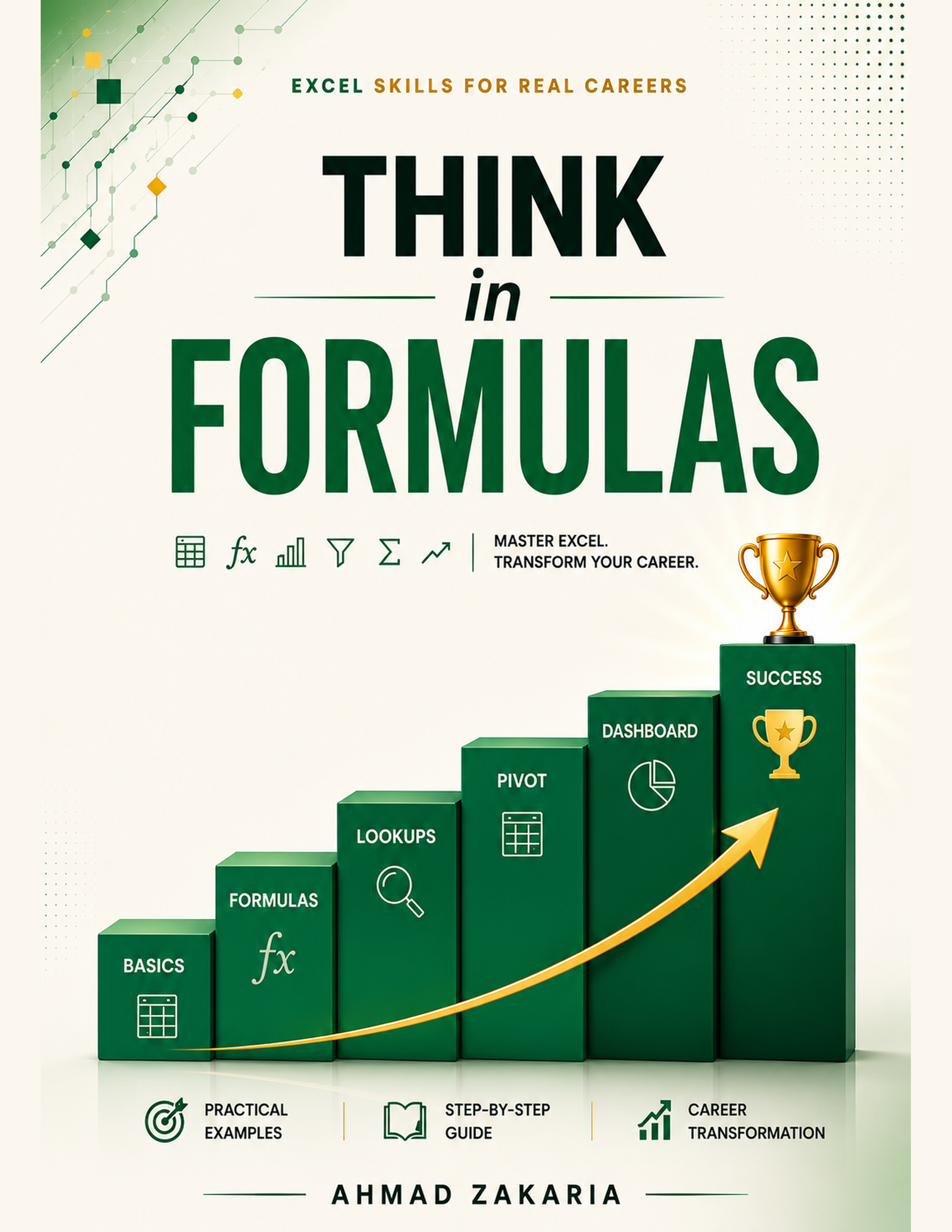
Cover of Think in Formulas — Excel Skills for Real Careers, by Ahmad Zakaria
A1

Who it's for

You already use Excel. You just don't trust yourself in it yet.

Students heading into interviews

So that when you say "I'm good at Excel," you mean it — and the practical test doesn't catch you out.

Corporate employees

You know the basics. You also re-Google VLOOKUP every quarter. This is the book that ends that loop.

Anyone handed a messy export

The 4,000-row CSV with merged cells and dates stored as text. Chapters 4 and 5 exist entirely for that file.

B1

What's inside

18 chapters, six parts, no filler.

Every chapter follows the same shape: the formula, what each part means in plain English, a real corporate scenario, one Pro Hack, one Watch Out. Every example runs on the same fictional company, so nothing stays abstract for long.

Part 0

Getting Started

  • 0Welcome
  • 1Excel vs Google Sheets — the complete comparison

Part 1

Foundations you can't skip

  • 2Navigating & formatting like a pro
  • 3Cell references & named ranges
  • 4Cleaning messy data
  • 5Text to Columns

Part 2

Core formulas & functions

  • 6Lookup & Reference
  • 7Logical functions
  • 8Math & Aggregation
  • 9Text — extracting & combining
  • 10Date & Time
  • 11Dynamic Arrays

Part 3

Analysis & visualization

  • 12PivotTables demystified
  • 13Charts & dashboards executives actually read

Part 4

Automation & productivity

  • 14Keyboard shortcuts & speed hacks
  • 15Macros & Apps Script 101

Part 5

Real-world case studies

  • 16A monthly sales report, built from raw data
  • 17HR headcount & attrition dashboard
  • 18Product cost sheet — a finance team staple

After the last chapter

23 more pages

The book doesn't stop at Chapter 18.

  • Quick Reference Appendix Every function in the book, one page.
  • The Complete Shortcut Library The page people screenshot and never delete.
  • Interview Prep — Top 20 Q&A Skim it the night before.
  • Stuck on a Formula? Ask an AI So it fixes your formula instead of inventing one.
  • Free Resources for Further Practice Where to go once you've finished the book.
B2

The companion workbook

Every example, already built.

Sixteen tabs, one per chapter, with the same data as the book and the formulas live in the cells. Click any answer and read it in the formula bar. It's your answer key and your sandbox at the same time.
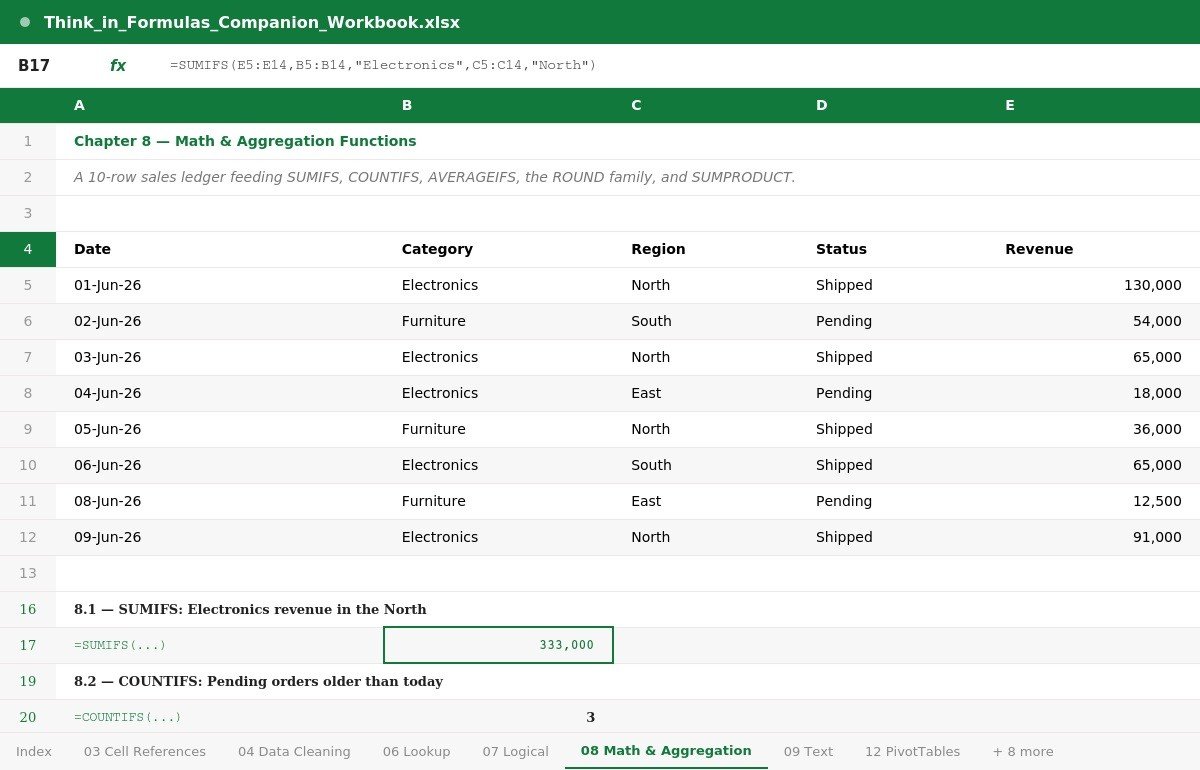
The companion workbook open on the Math and Aggregation tab, showing a sales ledger and a live SUMIFS formula
Chapter 8's tab — a real ledger, and SUMIFS returning 333,000 in the cell.
B3

Practice portal

Reading about a formula isn't learning it.

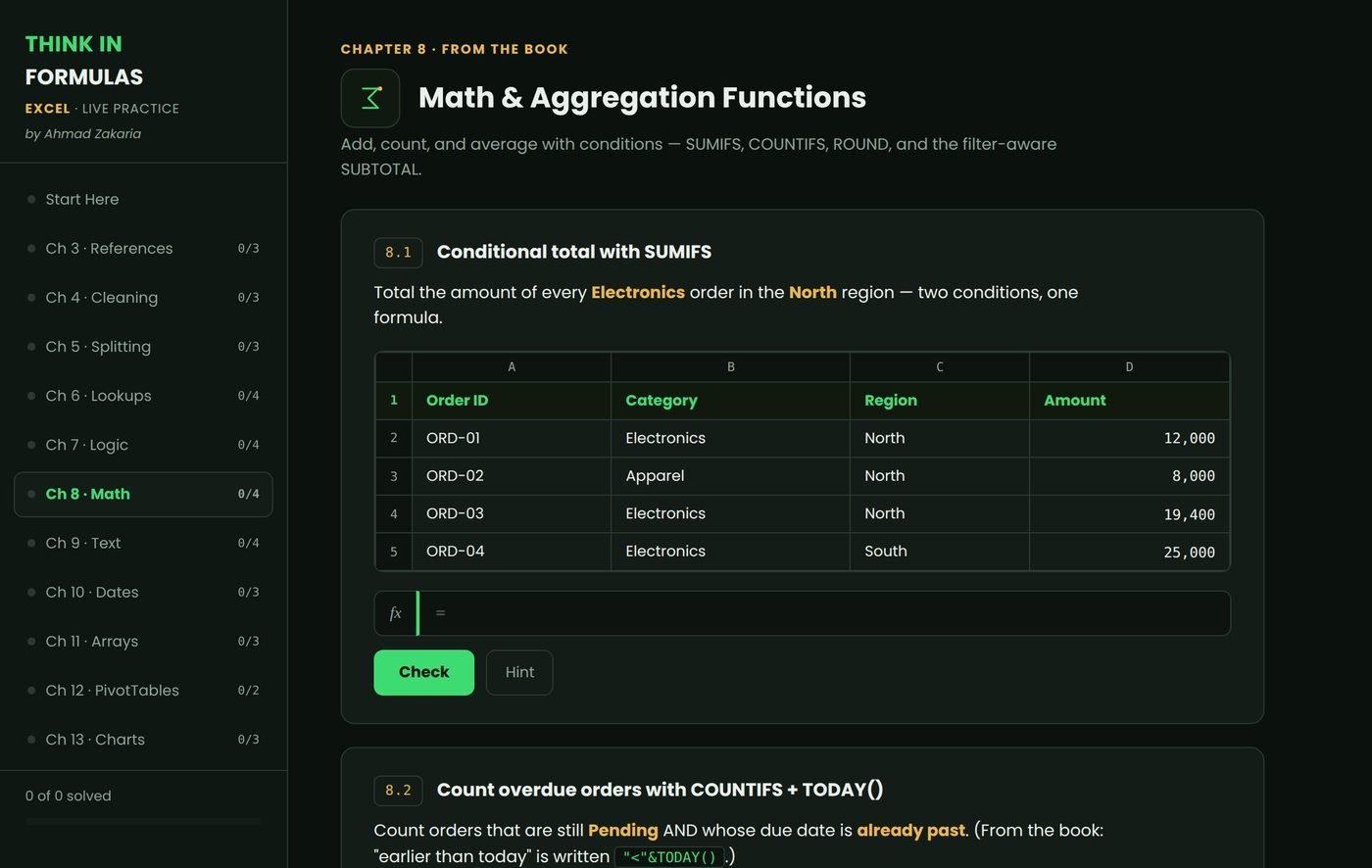
So the book comes with a portal: 49 exercises, real data, real formulas you type yourself. It marks you instantly and tells you why you were wrong.
37Formula
exercises
8Multiple
choice
2Drag &
lock refs
2Live pivot
builders
The practice portal, showing a chapter of exercises with an input box for typing formulas
The portal itself — pick a chapter, type the formula, get marked.
Exercise 7a · free sample

A simple yes/no with IF

Reps who sold over 20,000 get a bonus. Write an IF for Tasnim (row 2) that returns Bonus or No Bonus.

A · RepB · Sales
2Tasnim23,500
3Faisal15,000
4Nusrat8,200

C1

The bundle

One price. Everything.

No "basic vs premium" split. The workbook and the practice portal are promised on page two of the book, so they're in the box.

৳499 ৳990 Launch price
  • The book — English and Bangla Both editions, same content. PDF. 121 pages (117 in Bangla).
  • Companion Excel workbook One tab per chapter, same data, live working formulas. It doubles as your answer key.
  • Practice portal — 49 exercises Type real formulas, get checked instantly. Lifetime access with your purchase code.
  • Free updates Every future revision lands in your inbox. No second payment.
Pay with bKash, Nagad or Rocket

Delivered by hand once your payment is confirmed — usually within a few hours, always within 12.

C2

How to pay

Send ৳499, paste the TrxID, get the files.

Delivered by hand — usually within a few hours, always inside 12.

  1. Send ৳499 to this number

    Use Send Money in the bKash, Nagad or Rocket app.

    bKash 01754926036 Nagad 01754926036 Rocket 01754926036
  2. Copy your Transaction ID

    It's the code in your confirmation SMS — something like 9F7K2LM4XZ.

  3. Fill in the form below

    Then watch your email. Your files and your practice-portal code arrive together.

This gets printed on your copy, so spell it the way you want it.
Where the files will be sent.

Stuck? Message +880 1895 611269 on WhatsApp and it gets sorted the same day.

D1

Who wrote it

I'm not an Excel trainer.

I'm a Sales Analyst at Aqua Paints. Before that, Market Intelligence at Daraz. Nobody sat me down and taught me any of this. I learned it the slow way — at night, with a deadline in the morning and a file in front of me that wouldn't behave.

That's the only reason this book exists. Every formula in it earned its place by solving something real: a report that was due, an export that came in wrong, a number somebody upstairs was waiting on. Nothing is here because a syllabus said it belonged.

If you're the one your team forwards the broken spreadsheet to — or you'd like to be — this was written for you.

E1

Questions

Before you buy

Do I have to choose an edition?

No. You get both — English and Bangla. Same content in each. Read whichever you're more comfortable in.

Which Excel version does this need?

Nearly everything works in Excel 2016 onwards and in Google Sheets. Chapter 11 covers the newer dynamic array functions — XLOOKUP, FILTER, UNIQUE, SORT — which need Microsoft 365 or Sheets. The book flags this wherever it matters.

Can I pay by card, or by bank transfer?

Card checkout isn't live yet — bKash, Nagad and Rocket are the options for now. Bank transfer works today, though: message me on WhatsApp and I'll send you the account details. Same for anyone buying from outside Bangladesh — knock on WhatsApp and we'll find a way that works.

How fast do the files arrive?

Usually a few hours, always within 12. Every payment is checked by hand against the bKash, Nagad and Rocket records before the files go out.

How do I get the files and the practice portal?

Once your payment is confirmed, you get an email with your personal access code. That one code opens both your download page and the practice portal, and it keeps working — so you can come back to the exercises any time.